微信内可能无法直接打开本站。请点右上角 ··· → 在浏览器打开,或复制链接。
DXPR: Drupal dropdown menus: how to build them in Drupal 11
RSS 官方收录 · 可信分层展示
关键摘要
Drupal dropdown menus: how to build them in Drupal 11 Jurriaan Fri, 10/23/2026 - 08:27 A dropdown menu in Drupal 11 always starts in the same place: the core menu system, where you nest links under a parent.…
- What turns that structure into a dropdown is either your theme or a me…
- This post walks through both routes, shows what the result looks like …
- The screenshots come from a Drupal 11.
规则摘要 · 来源可核验
正文提要
A dropdown menu in Drupal 11 always starts in the same place: the core menu system, where you nest links under a parent. What turns that structure into a dropdown is either your theme or a menu module. This post walks through both routes, shows what the result looks like on desktop and on a phone, and compares the menu modules that are maintained for Drupal 11 today.
The screenshots come from a Drupal 11.4 site with DXPR Theme 8.2.2, taken in October 2026; the module details come from drupal.org on 23 October 2026.
In short: build the menu under Structure, Menus, nest the links, and tick Show as expanded on every parent. A theme with dropdown support, such as Olivero (one dropdown level) or DXPR Theme (three levels, automatic columns), then renders the dropdowns. Add a module such as Superfish or The Better Mega Menu only when the theme cannot do what you need.
Let an AI agent build the menu. A menu is a list of links with a hierarchy, the kind of structured task a coding agent does well. With the Drush Webmaster skill, an agent creates and orders the menu links from a short brief, and with DXPR Theme's agent skill it sets the header layout and menu colors to match the brand. You review the result on the site.
1. Create the menu structure in Drupal core
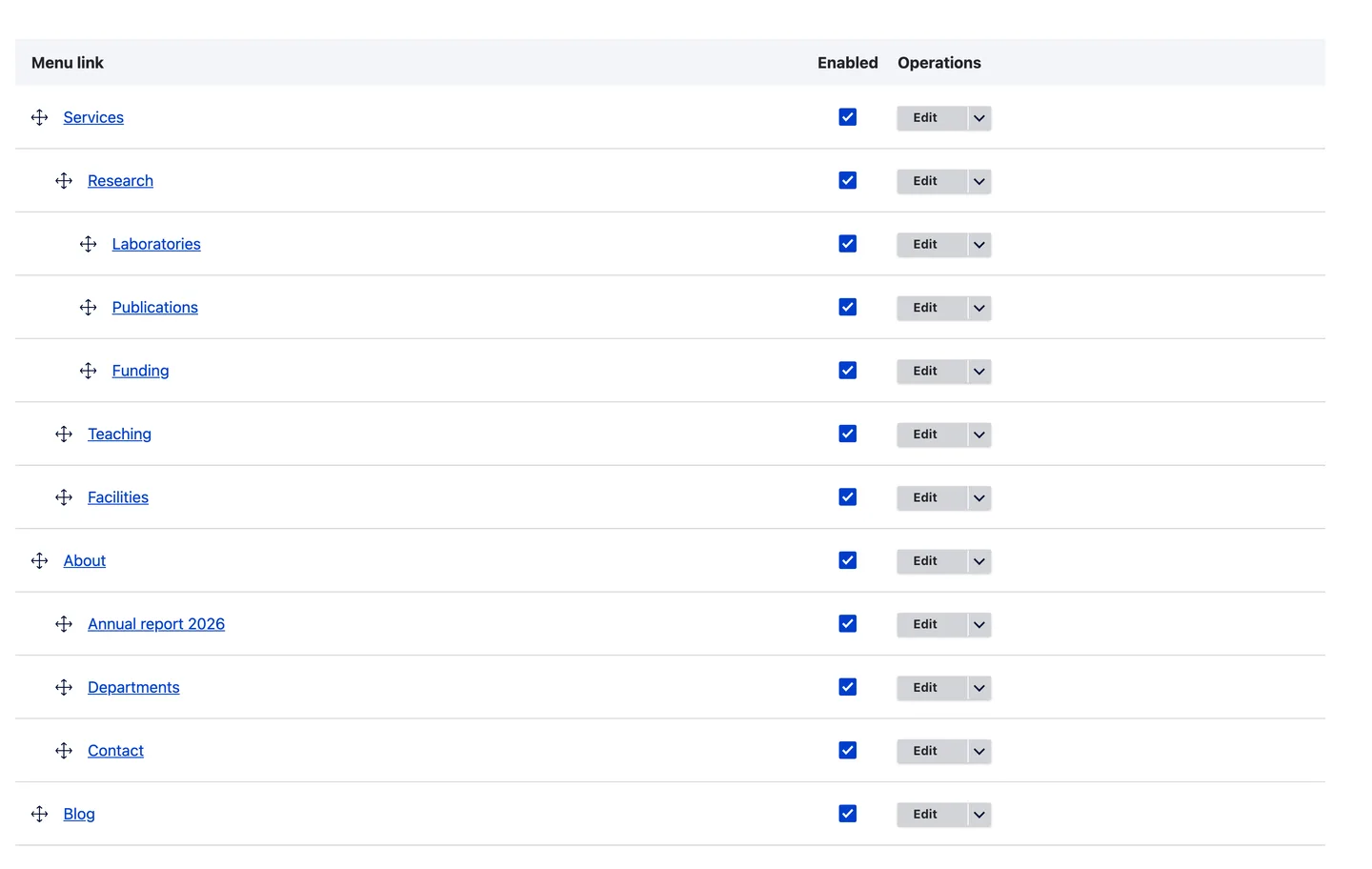
Go to Structure, Menus, and edit the menu that sits in your header, usually Main navigation. Add the links with Add link, then drag each child under its parent so it indents one level, and press Save.
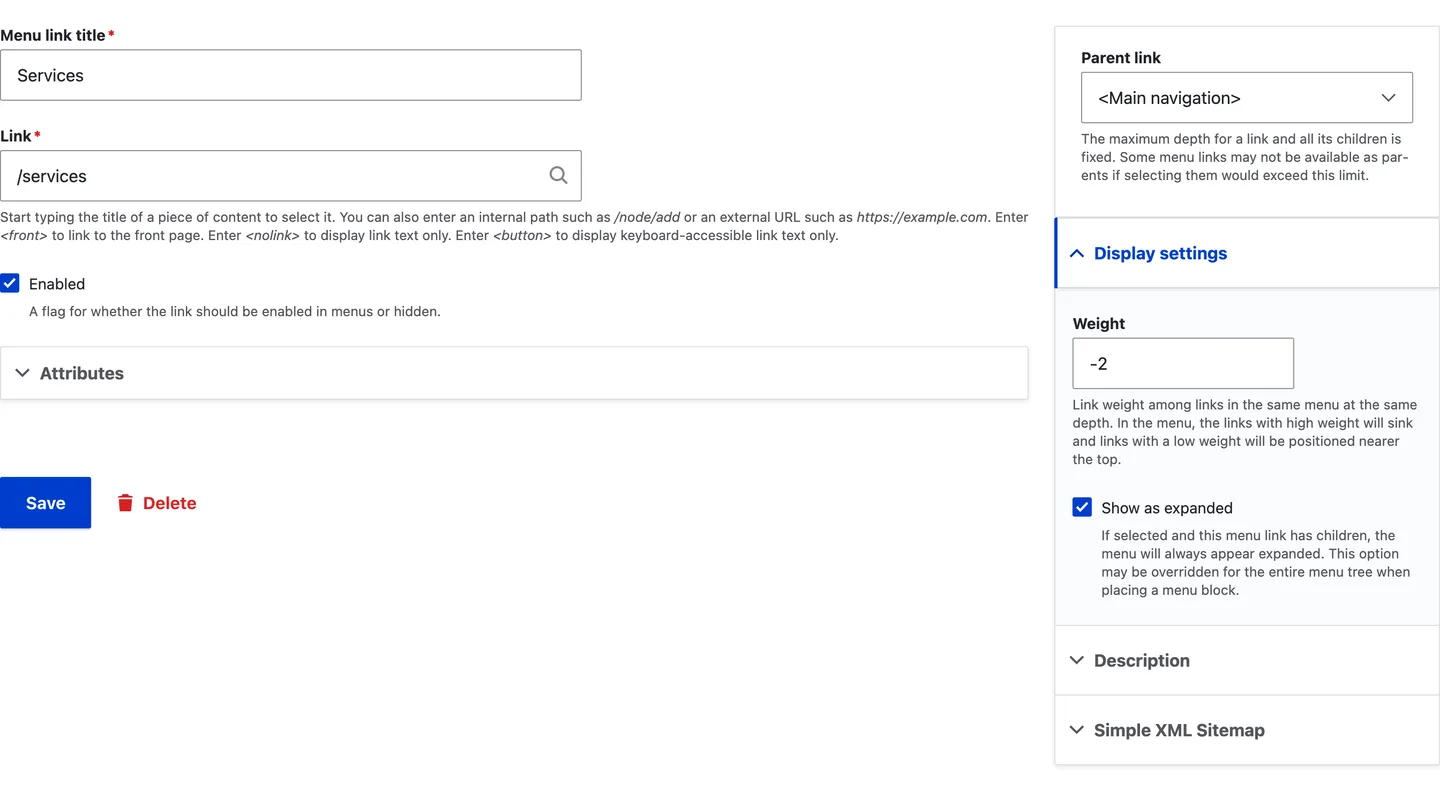
Next, edit every parent link and tick Show as expanded. Without it, Drupal only renders a parent's children on that parent's own page, so the dropdown stays empty everywhere else. To expand every parent at once, tick Expand all menu links in the settings of the menu block instead. For a parent that should only open its dropdown, enter <button> or <nolink> as the link instead of a page.
2. Let the theme render the dropdowns
Most current Drupal themes turn a nested menu into dropdowns on their own; how deep they go and how the dropdown looks differs per theme.
- Olivero, Drupal core's default front-end theme up to Drupal 11.4, places its main menu block with a depth of two: the top level plus one dropdown level, with a button next to each parent.
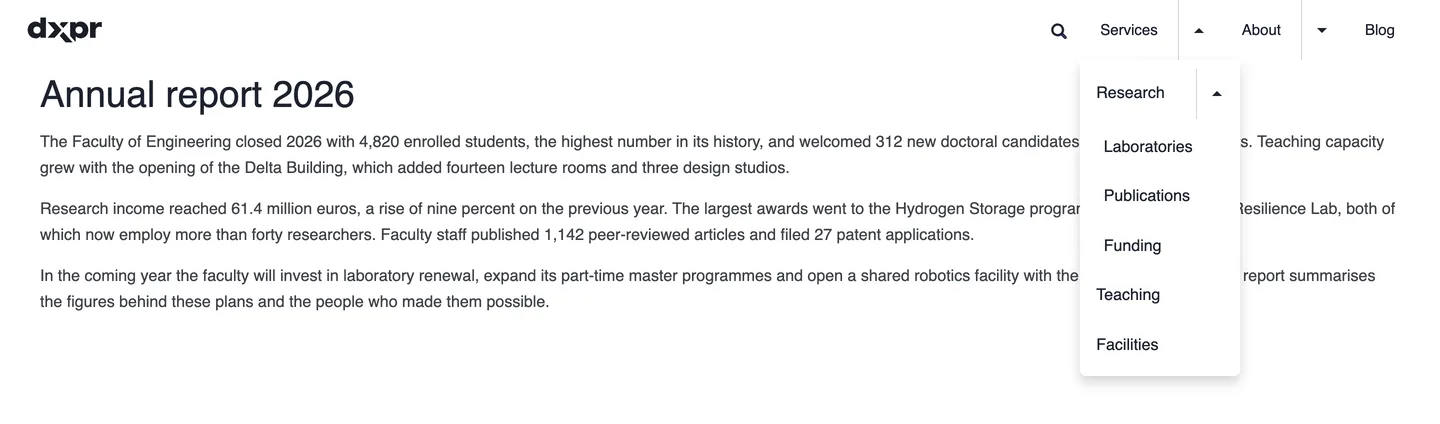
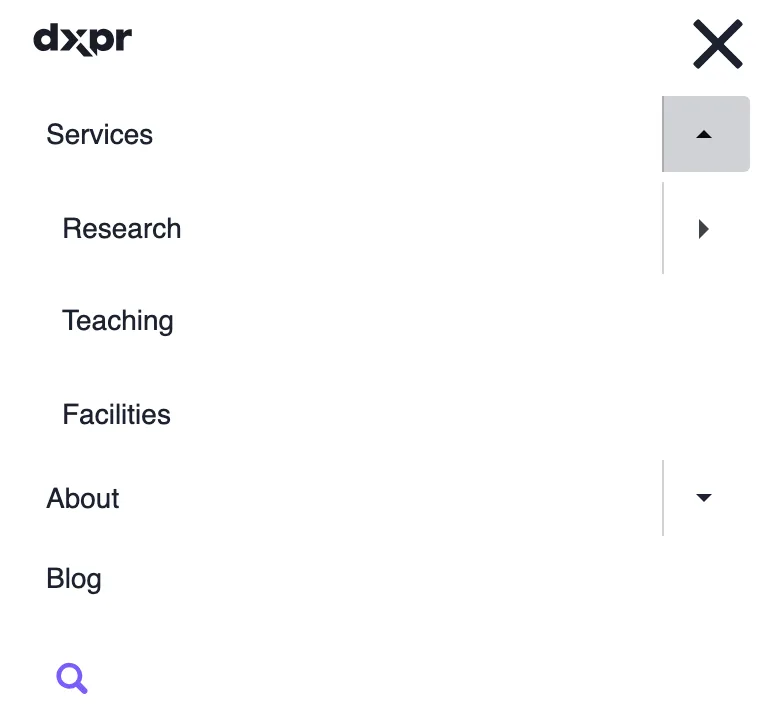
- DXPR Theme renders three levels. A dropdown with 8 or more links splits into columns, and from 15 links it spans the full width of the header, which gives you a mega menu without a module. On a mouse, dropdowns open on hover, and when any dropdown has a third level they open on click. Below the mobile breakpoint, 1200 pixels by default, the menu folds into a hamburger menu that expands each level in place. The mega menu guide covers every setting.
3. Or add a menu module
A module makes sense when the theme cannot render what you need, for example images or blocks inside the dropdown, or a separate off-canvas menu for phones. These are the maintained options for Drupal 11:
| Module | What it does | Latest stable release | Reported sites |
|---|---|---|---|
| Superfish Dropdown Menu | Dropdowns from the jQuery Superfish plugin, with multi-column sub-menus and right-to-left support; needs the Superfish library in /libraries | 8.x-1.17, 16 Oct 2026, Drupal 9 to 11 | 64,556 |
| The Better Mega Menu | An admin interface for dropdowns that combine menu links with images, videos and blocks | 8.x-1.10, 28 Aug 2025, Drupal 8 to 11 | 18,522 |
| Responsive and off-canvas menu | A horizontal menu on wide screens and an off-canvas menu on phones, through the mmenu library | 4.4.5, 4 Feb 2025, Drupal 9.3 to 11 | 10,647 |
| Drupal Mega Menu | A drag-and-drop mega menu builder with layout styles and animations; minimally maintained | 8.x-1.17, 22 Sep 2026, Drupal 10.3 and 11 | 5,067 |
| Simple Mega Menu | Foundations for a mega menu you build yourself with Twig and content entities | 2.2.0, 9 Sep 2024, Drupal 10.3 and 11 | 1,655 |
To show only part of a menu elsewhere on the page, for example the children of the current section in a sidebar, core's menu blocks have Initial visibility level and Number of levels to display settings, and the Menu Block module adds options such as rooting the block at a specific menu item.
Which option should you pick?
- Links only, one dropdown level: core menus and your theme, nothing to install.
- Three levels, columns or a full-width mega menu, and a mobile menu: a theme that renders them, such as DXPR Theme, so the menu stays plain Drupal configuration.
- Images, videos or blocks inside the dropdown: The Better Mega Menu or Drupal Mega Menu. Each one adds its own configuration screen and markup to maintain.
- A dedicated off-canvas menu on phones: Responsive and off-canvas menu.
Questions about Drupal dropdown menus
A mega menu without a module.
DXPR Theme turns your Drupal menu into multi-level dropdowns, full-width mega menus and a mobile menu, styled from its settings. Try it in the live demo or read the step-by-step guide.